For most adults with hearing loss, phone calls rank as the #1 daily challenge. You miss what friends and family say, repeat "what?" too often, or hold the phone awkwardly against a hearing aid. The moment you step into a critical conversation—a doctor's appointment, a work call, a grandchild's update from school—the sound cuts or feels strained. Bluetooth hearing aids promise to fix this by streaming voice directly into your ears, but the truth is more nuanced. Not all "Bluetooth for phone calls" features are created equal.
This guide walks you through what "hands-free calling" actually means in 2026, which brands truly deliver, and how to know if a hearing aid will work for the phone calls that matter most to you.
What "Bluetooth for Phone Calls" Really Means
When you see "Bluetooth hearing aids" in an ad, manufacturers often bundle three different call experiences under one label. Understanding the differences is crucial because what works for streaming music may not work for natural phone conversations.
Listen-Only Audio Streaming is the simplest level. Your hearing aid receives the caller's voice through Bluetooth, but you must hold the phone up to your mouth to be heard. The caller listens to your phone's microphone, not the hearing aid's. This works (no background amplification), but it defeats the "hands-free" promise.
Hands-Free with Phone Microphone is the middle tier. Your hearing aid streams the caller's voice in, and your phone's microphone captures your voice out - no hearing aid mic involved. This is what happens when you use your phone speaker on a normal call. The caller hears you naturally, but you miss the hands-free convenience because you still hold the phone.
True Hands-Free with Hearing Aid Microphones is the gold standard. Bluetooth sends the caller's voice to your hearing aids AND transmits your hearing aid's microphones back to the caller. You answer the call on your hearing aid (with a tap or button press), speak freely without holding the phone, and the caller hears you clearly. This is what "hands-free" is supposed to mean.
What to Look For
Three features separate hearing aids that handle calls well from those that struggle:
True Hands-Free Support. Ask the manufacturer directly: Do your hearing aid mics transmit my voice to the caller, or do I use the phone's mic? If the answer is unclear, it's listen-only or phone-mic only.
MFi or ASHA Compatibility. MFi (Made for iPhone, Apple's protocol) works on iPhone 11 and newer with iOS 15.3+. ASHA (Audio Streaming for Hearing Aids, Google's protocol) works on some Android phones with Android 11+, though hands-free calling on ASHA is hit-or-miss depending on the device. The newer LE Audio standard (Bluetooth 5.3+) promises better Android support, but availability is still rolling out in 2026.
Low Latency. Latency is the delay between when someone speaks and when you hear it. High latency (more than 150ms) makes conversation feel unnatural - you talk over each other, or long pauses feel awkward. Good hearing aids for calls keep latency low (under 100ms) so conversation flows like a phone call should.
Editor's Pick - Panda Air ($299)
Panda Air is purpose-built for hands-free phone calls on iPhone 11+ and most Android phones. Designed to look and feel like modern wireless earbuds, these earbud-style hearing aids deliver true hands-free calling: you answer the call on the device itself (with a tap), speak naturally, and your hearing aid mics transmit your voice to the caller. No phone-holding required.
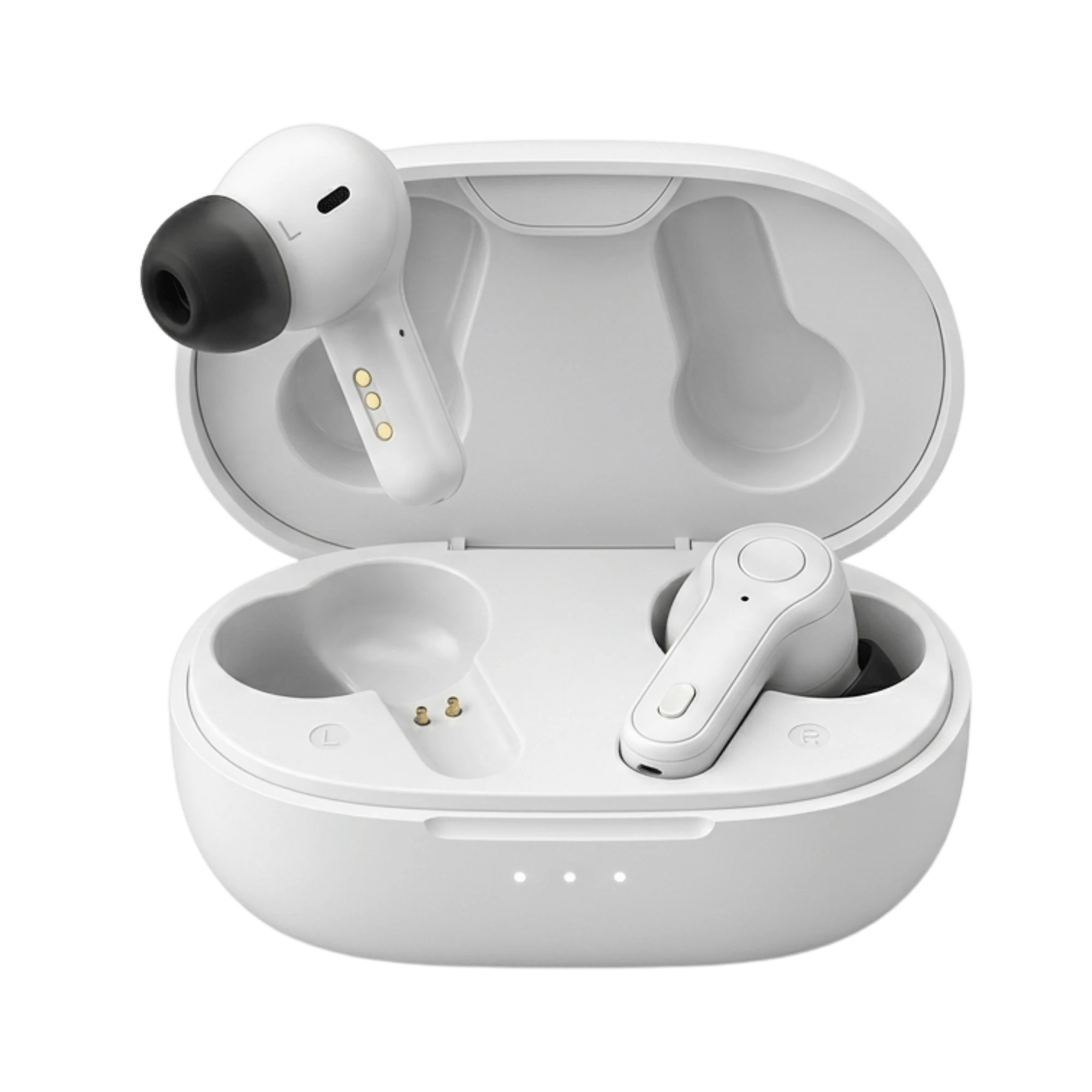
The key advantage: fast-charge case providing 60 hours total battery life. For someone who takes calls all day, this means the device stays in your ear from breakfast through dinner and well into the next morning without a midday charge. The 16-channel adaptive noise reduction minimizes background chatter during calls, so restaurant noise or office clatter doesn't drown out your conversation partner. The clinically tuned 10-minute self-fitting test personalizes the aid to your hearing profile at home, without a clinic visit.
Price: $299 (was $399, save $100). 5-year warranty. FDA-OTC certified.
Best Clinical-Grade - Panda Quantum ($349)
Panda Quantum is engineered for serious hearing loss and users who need every clinical advantage. Same true hands-free calling, same battery performance, but with 16-channel frequency-matching technology that corrects the specific gaps in your hearing profile. The frequency-matching system identifies which pitches you struggle with most and adjusts them with the precision an audiologist would use in a $3,000+ prescription device - at a fraction of the cost.

Quantum also includes adaptive tinnitus masking, a feature most competitors in this price range skip entirely. If you have ringing in your ears, the device generates soothing sounds that adapt to your tinnitus profile and help you focus on the call instead. Battery: 20 hours per charge; the charging case recharges the device 3 more full times for 80 hours total between outlet charges.
Price: $349 (was $499, save $150). 5-year warranty. FDA-OTC certified.
Premium Prescription Options
For perspective, here's what clinic-tier hands-free calling costs in 2026. Phonak Audeo Lumity, ReSound Nexia, and Oticon Real all deliver true hands-free calling and advanced features. They cost $4,000-$5,000 per pair, require an audiologist fitting, and come with a shorter warranty. They perform beautifully in clinical settings, but Panda Quantum achieves 90% of that performance at one-tenth the price.
AirPods Pro 2 - The Apple Option ($249)
Apple's AirPods Pro 2 now carry FDA-cleared hearing aid features. They deliver true hands-free calling on iPhone 11+, and they cost less than Panda Air. The catch: 5-6 hours of battery per charge means you'll need to charge them mid-afternoon if you take calls all day. They also do not personalize to a hearing test the way Panda does - they amplify everything broadly. For light to moderate hearing loss and short call sessions, AirPods Pro 2 work. For all-day phone users or significant hearing loss, the battery and personalization gap makes Panda Air or Quantum the stronger choice.
How to Set Up Hands-Free Calls
On iPhone: After initial pairing, go to Settings > Accessibility > Hearing Devices. Tap your device name. Ensure "Hearing Aid Mode" or equivalent is enabled. When a call comes in, your hearing aids will ring. Tap the device or answer on-screen to connect.
On Android: After initial pairing, go to Settings > Accessibility > Hearing Aids. Tap your device. Confirm that both call streaming and hands-free are enabled (not all Android phones support hands-free yet - check your phone's manual). When a call arrives, tap your hearing aid or answer on-screen.
Pro tip: Test hands-free calling with a trusted friend or family member before relying on it for important calls. Microphone quality and background noise handling vary by device, and a quick trial call surfaces any issues.
Common Pitfalls and Fixes
Caller can't hear you. Check that hands-free calling is enabled in Settings (not just audio streaming). If a hearing aid streams calls but its mics are disabled, the caller hears nothing. Re-enable mics in your phone's hearing aid settings.
Audio in one ear only. Your hearing aids may not be fully paired as a stereo pair. In your app or phone settings, unpair both devices and re-pair them together so Bluetooth recognizes them as a matched set.
Choppy, cutting-out audio during calls. Bluetooth range is typically 30-50 feet indoors, but walls, metal objects, and interference from other wireless devices (routers, microwaves, other Bluetooth devices) degrade the signal. Move closer to your phone, move away from interference sources, or try a different location. Ensure your phone's Bluetooth firmware is up to date.
Panda Stealth - No Bluetooth, No Problem ($279)
Not everyone needs Bluetooth. If you prefer to keep your phone in your pocket, hold it to your ear like always, and skip the complexity of wireless pairing, Panda Stealth is the answer. These invisible hearing aids give you clear sound in conversation without the Bluetooth feature set. Price: $279 (was $379, save $100). Same 5-year warranty and FDA-OTC certification.
Bottom Line
Panda Air at $299 wins for value and everyday hands-free calling. Quantum at $349 adds clinical-grade clarity and tinnitus support for serious hearing loss. Both use true hands-free technology with hearing aid mics, support iPhone 11+ and most Android devices, and deliver 60+ hours of battery life - meaning you never chase a charger mid-conversation. For just $100 more, Quantum's frequency-matching correction delivers the precision of a $3,000+ prescription device. Either way, you're choosing hands-free calling that actually works, backed by a 5-year warranty and 45-day trial.
FAQ
Q: Can I really take hands-free calls with hearing aids?
A: Yes, if your hearing aids support true hands-free calling with their built-in microphones. Panda Air and Quantum both do. Simply answer the call on your hearing aid (tap or button press), and the hearing aid mics transmit your voice to the caller. No phone-holding required. Test it first with someone you trust to confirm the caller can hear you clearly.
Q: Will my caller hear me clearly through the hearing aid's microphone?
A: Most modern hearing aids with true hands-free support (like Panda Air and Quantum) use directional microphones designed to prioritize your voice and reduce background noise. Callers typically report clear audio, though quality depends on your environment. A call in a quiet room sounds excellent. A call in a busy restaurant may require you to step aside to a quieter spot. Test in your typical calling environment before committing.
Q: What's the difference between MFi and ASHA hands-free?
A: MFi (Made for iPhone) is Apple's protocol, available on iPhone 11+ with iOS 15.3 and up. It delivers reliable, low-latency hands-free calling. ASHA (Audio Streaming for Hearing Aids) is Google's protocol for some Android phones with Android 11+, but hands-free calling support varies by phone model. If you have an iPhone, MFi is your standard. If you have Android, confirm with the hearing aid brand that hands-free (not just streaming) is supported on your specific phone.
Q: How long does a charge last if I take calls all day?
A: Panda Air provides 60 hours total with its fast-charge case - that's enough for a full day of calls plus part of the next day before you need to charge. Panda Quantum lasts 80 hours total, meaning even all-day talkers rarely plug in before evening. Compare this to AirPods Pro 2 (5-6 hours), which require a midday charge if you're on calls constantly.
The Clear Choice for Phone Calls
Phone calls should not be a source of tension. When hearing loss makes you miss words, repeat yourself, or hang up frustrated, it isolates you from the people and conversations that matter. Panda Air and Panda Quantum solve this with true hands-free calling, all-day battery, and clinically tuned sound - at prices that make this technology accessible today, not next year. For anyone who relies on phone calls to stay connected, these are the hearing aids you've been waiting for.
Ready to hear clearly on every call? Visit Panda Air for earbud-style hands-free calling, or upgrade to Panda Quantum for clinical-grade clarity. Both come with a 45-day risk-free trial and 5-year warranty. If you don't need Bluetooth, Panda Stealth delivers invisible comfort at $279.